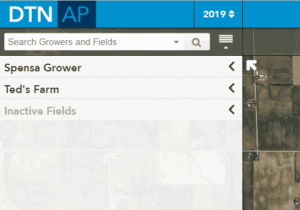
| 1. Expand the Grower that contains the Farm you.
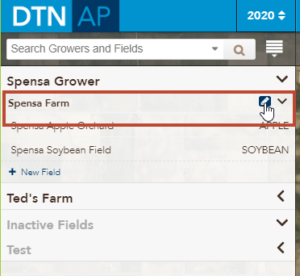
2. Click on the Edit icon for the Farm you want to move.want to move. |
 |
| 3. Click the Grower drop-down menu and select the Grower you want to move the currently selected farm to. | 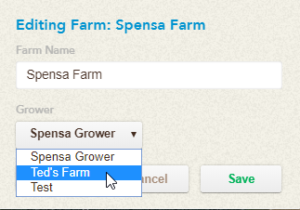 |
| 4. Confirm the selection and then click the Save button. | 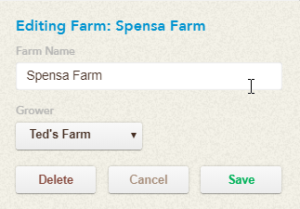 |
The Farm will now be underneath the Grower you selected in Step 3.
Here is an animation demonstrating the steps listed above: