| 1. Click on the + New Grower button. | 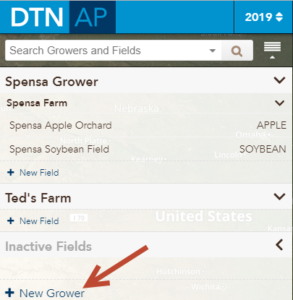 |
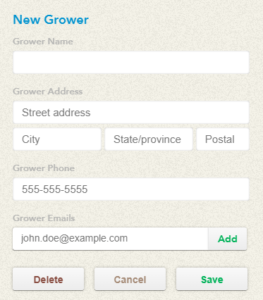
| 2. You will need to enter, at a minimum, the Grower’s name.
If you would like to auto-populate an e-mail address when sending reports for this grower, please enter an e-mail into the Grower Emails section. |
 |
| 3. When you are finished, press the Save button |  |
| 4. The new Grower will appear in your side panel. |