1. Select the Field you want to move from the Grower, Farm, Field sidebar. 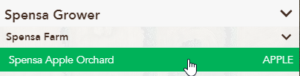
2. Click the Edit button. 
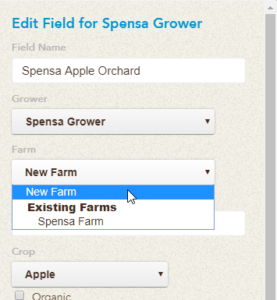
3. Click the Farm drop-down menu and select the Farm the Field should belong to.
If you need to change the Field to a Farm on another Grower, select the Grower first and then choose the appropriate Farm.
In this case, we are moving from Jimmy C Farms to Spensa Farm
4. Click the Save button. 
Now the Field you selected will belong to the selected Farm.